SparkFun Qwiic Shield for Thing Plus Hookup Guide
Contributors:
 El Duderino
El Duderino Resources and Going Further
For more information, take a look at the resources below.
- Schematic (PDF)
- Eagle Files (ZIP)
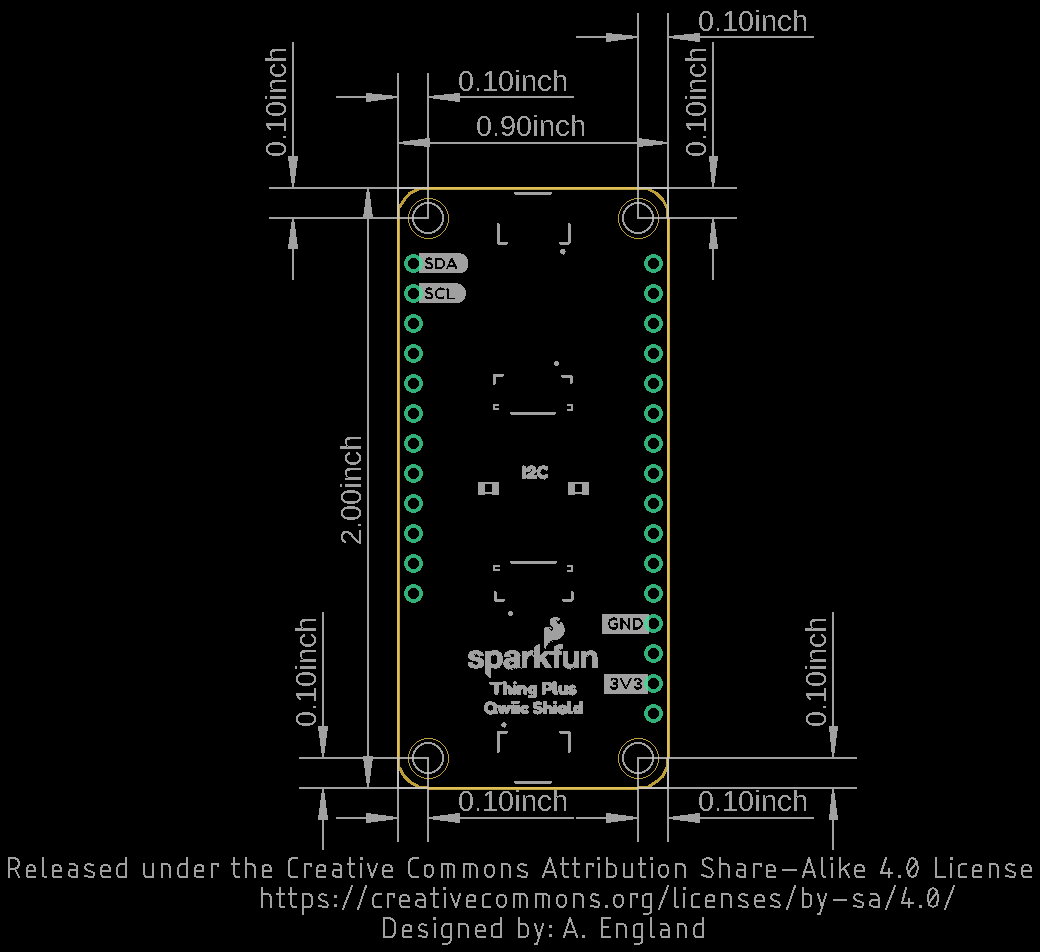
- Board Dimensions
- GitHub Repository
- Qwiic System Landing Page
- SFE Product Showcase
If you are having trouble getting your Qwiic devices to connect using your newly assembled Qwiic Shield, you may want to take a look at these tutorials for help troubleshooting and reworking your shield.
Now that you have your Qwiic Shield ready to go, it's time to check out some Qwiic-enabled products. Below are a few to get started.

Before you go, here are some other tutorials using the Qwiic Connect System you may want to look through:
CCS811/BME280 (Qwiic) Environmental Combo Breakout Hookup Guide
Sense various environmental conditions such as temperature, humidity, barometric pressure, eCO2 and tVOCs with the CCS811 and BME280 combo breakout board.
Qwiic Distance Sensor (VL53L1X, VL53L4CD) Hookup Guide
The Qwiic Distance Sensor - VL53L1X is a time of flight sensor that is capable of several modes, as well as having a range of 4M. It's cousin VL53L4CD is also a time of flight sensor with similar characteristics but it has a range of about 1.3M. Let's hook it up and find out just how far away that thing over there is.
SparkFun RTK Surveyor Hookup Guide
Learn how to use the enclosed RTK Surveyor product to achieve millimeter level geospatial coordinates.
Qwiic Dynamic NFC/RFID Tag Hookup Guide
Add a configurable NFC/RFID tag to your Qwiic ecosystem by following this guide.