SparkFun GPS Breakout (ZOE-M8Q and SAM-M8Q) Hookup Guide
 Elias The Sparkiest
Which GNSS Unit Do I Pick?!
Size and GNSS Antenna
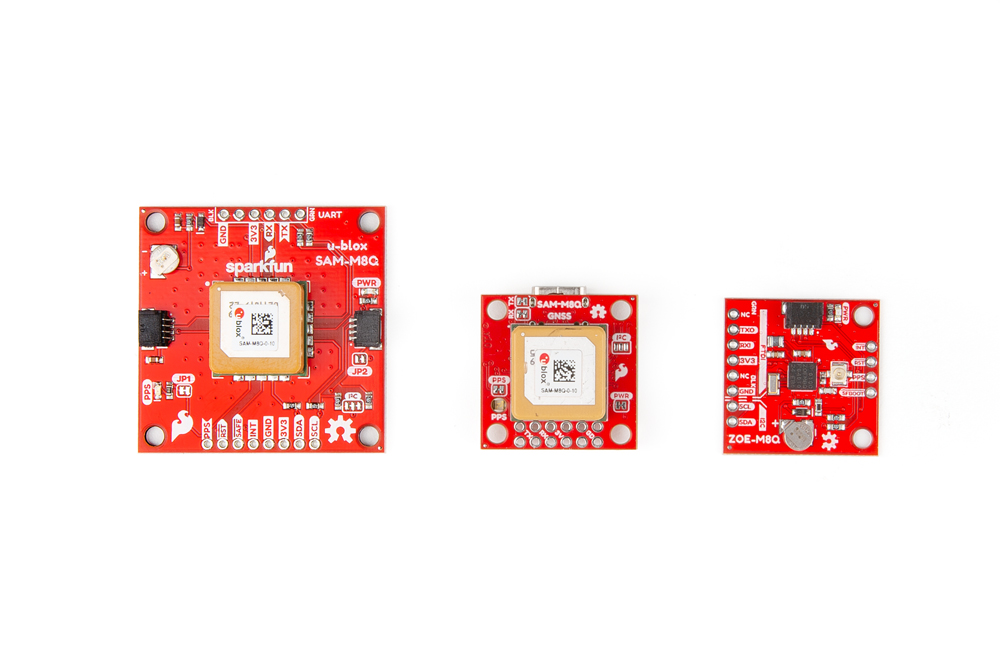
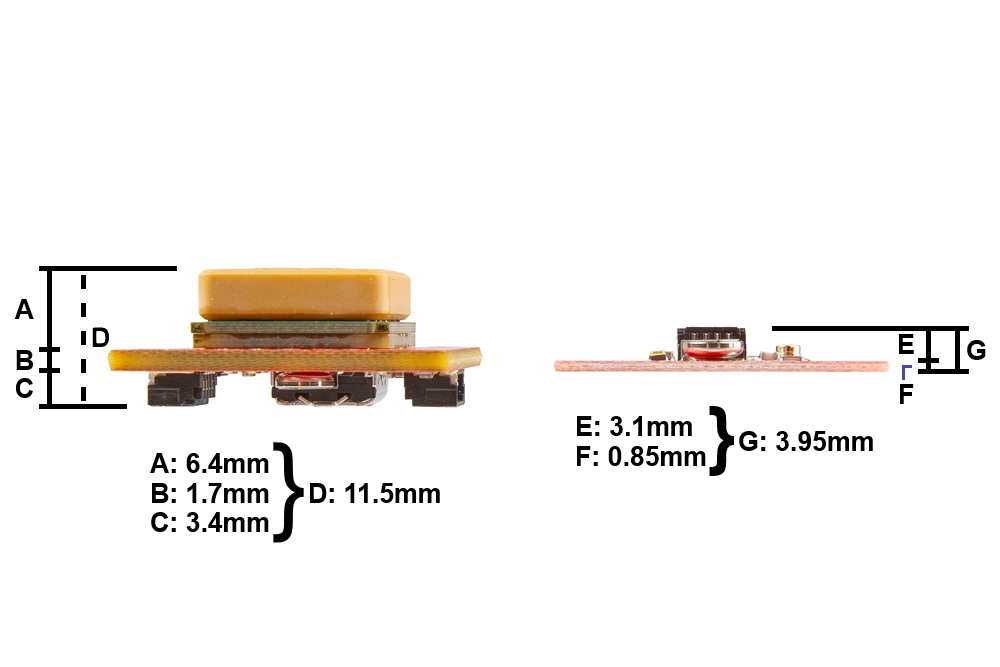
In each of the following Hardware Overview sections we layout the components and connections of each GNSS board. The SAM-M8Q comes in two different variations; a larger board with 1.6" x 1.6" dimensions and a compact version in the 1" x 1" standard Qwiic form-factor. The larger board dimensions provides a increases the ground plane area and performance of the embedded GNSS antenna; meanwhile, the smaller form-factor is more suitable for smaller project enclosures. The ZOE-M8Q also comes in the 1" x 1" standard Qwiic form-factor; however, it does not include an embedded GNSS antenna. Instead a U.FL connector is provided to connect to an external antenna. This offers more flexibility for users to attach their GNSS antenna outside of their project enclosure. The height of the ZOE-M8Q is also smaller than the compact 1" x 1" SAM-M8Q variant.
GNSS Capability Comparison
The SAM-M8Q and ZOE-M8Q GNSS receivers both utilize the 72-channel u-blox M8 engine; therefore, their capabilities are so similar that the differences are negligible. The one major difference between them is that the SAM-M8Q does not connect to the Chinese BeiDou GNSS constellation.
| GPS + GLONASS | GPS | GLONASS | Galileo | BeiDou | ||
|---|---|---|---|---|---|---|
| Horizontal Position Accuracy | 2.5m | 2.5m | 4m | 3m | 3m | |
| Max Navigation Update Rate | 10Hz | 18Hz | 18Hz | 18Hz | 18Hz | |
| Time-To-First-Fix | Cold Start | 26s | 29s | 30s | 45s | 34s |
| Hot Start | 1s | 1s | 1s | 1s | 1s | |
| GPS + GLONASS | GPS | GLONASS | Galileo | |||
|---|---|---|---|---|---|---|
| Horizontal Position Accuracy | 2.5m | 2.5m | 8m | TBD | N/A | |
| Max Navigation Update Rate | 10Hz | 18Hz | 18Hz | 18Hz | N/A | |
| Time-To-First-Fix | Cold Start | 26s | 29s | 30s | TBD | N/A |
| Hot Start | 1s | 1s | 1s | TBD | N/A | |
SPI Interface
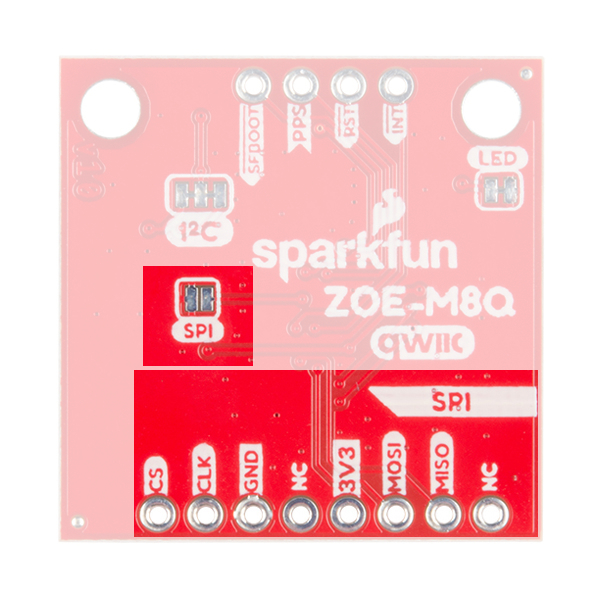
Both GNSS receivers support I2C and serial communication to receive your NMEA data. However, the ZOE-M8Q also supports a SPI interface. The SPI interface can be enabled by closing the SPI jumper on the bottom of the board.