Si4703 FM Radio Receiver Hookup Guide
Contributors:
 Toni_K
Toni_K 
Resources and Going Further
Now that you have your FM Tuner up and tuned to your favorite stations, you can start tweaking your circuit. You could add in a sensor to tune your board for you, have it set up on a timer with a clock, or place it in an enclosure like the FabFM Radio Kit. If you come up with a really cool project or mod, let us know! We'd love to hear about it.
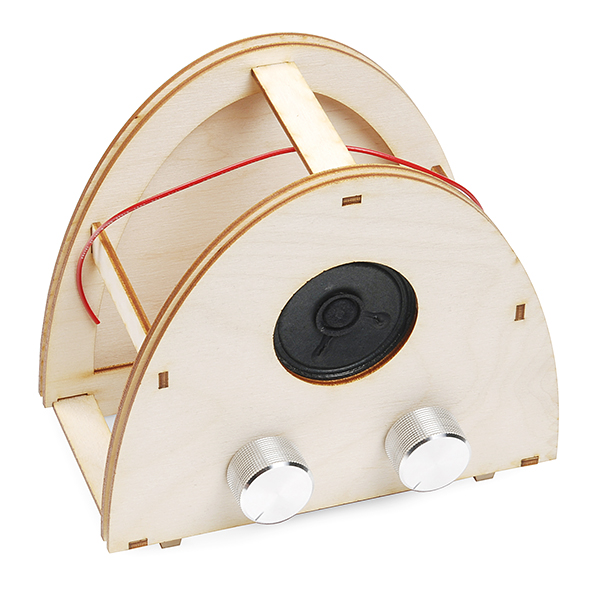
FabFM Radio Kit
KIT-11043For more information about the Si4703 FM tuner evaluation board, check out the resources below:
- Schematic (PDF)
- Eagle Files (ZIP)
- Si4703 Datasheet (PDF)
- TPA6111A2 Datasheet (PDF)
- AN230 Programming Guide (PDF)
- AN243 Programming Guide (PDF)
- GitHub Repository
- SFE Product Showcase
Check out these additional resources for more information and other project ideas.
SparkPunk Sequencer Hookup Guide
How to assemble and use the SparkPunk Sequencer kit.
Proto Pedal Chassis Hookup Guide
Prepare the Proto Pedal Chassis by drilling holes for controls and painting it.
Little Soundie Audio Player Hookup Guide
Add sound effects to your project, prop or costume with Little Soundie Audio Player.
TeensyView Hookup Guide
A guide to using the TeensyView OLED board to display text and graphics.
If you have any feedback, please visit the comments or contact our technical support team at TechSupport@sparkfun.com.