Qwiic Speaker Amp (TPA2016D2) Hookup Guide
Contributors:
 QCPete,
  bboyho
QCPete, bboyho 
Resources and Going Further
Now that you've successfully got your Qwiic Speaker Amp (TPA2016D2) up and running, it's time to incorporate it into your own project! For more information, check out the resources below:
- Schematic (PDF)
- Eagle Files (ZIP)
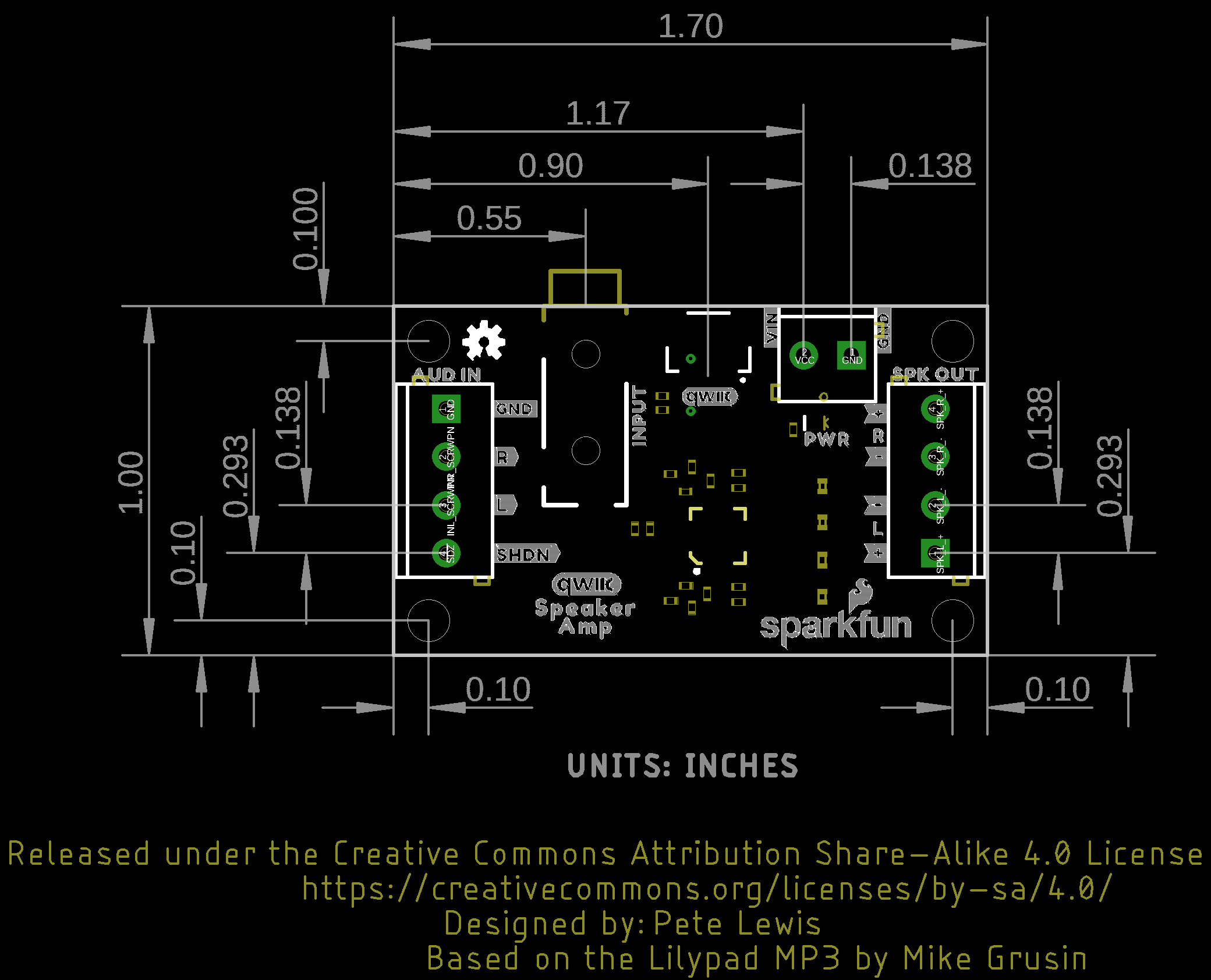
- Board Dimension (PNG)
- Fritzing Part (FZPZ)
- Datasheet (PDF) (TPA2016D2)
- Arduino Library
- GitHub Hardware Repo
- SFE Showcase
Need some inspiration for your next project? Check out some of these related tutorials for ideas. Add the Qwiic Speaker Amp in your next portable projects such as sound effects for your spooky Halloween pumpkin, wearable costumes, props, talking greeting cards, or USB speakers.
SparkFun Inventor's Kit for micro:bit Experiment Guide
This guide contains all the information you will need to explore the twelve circuits of the SparkFun Inventors Kit for micro:bit.
Proto Pedal Example: Programmable Digital Pedal
Building a pedal around the Teensy 3.2 and Teensy Audio shield. Changing the effect in the pedal is as easy as uploading a new sketch!
I2S Audio Breakout Hookup Guide
Hookup guide for the MAX98357A I2S audio breakout board.
How to Play Multiple Buzzers at Once
This tutorial demonstrates the SparkFun Qwiic Buzzer's ability to control multiple buzzers simultaneously by playing a 3-part arrangement of a segment of the Super Mario Bros Theme!