Analog MEMS Microphone (VM2020) Hookup Guide
Contributors:
 QCPete,
  bboyho
QCPete, bboyho 
Resources and Going Further
Now that you've connected your MEMS microphone breakout, it's time to incorporate it into your own project! For more information on the board, check out the resources below:
- Schematic (PDF)
- Eagle Files (ZIP)
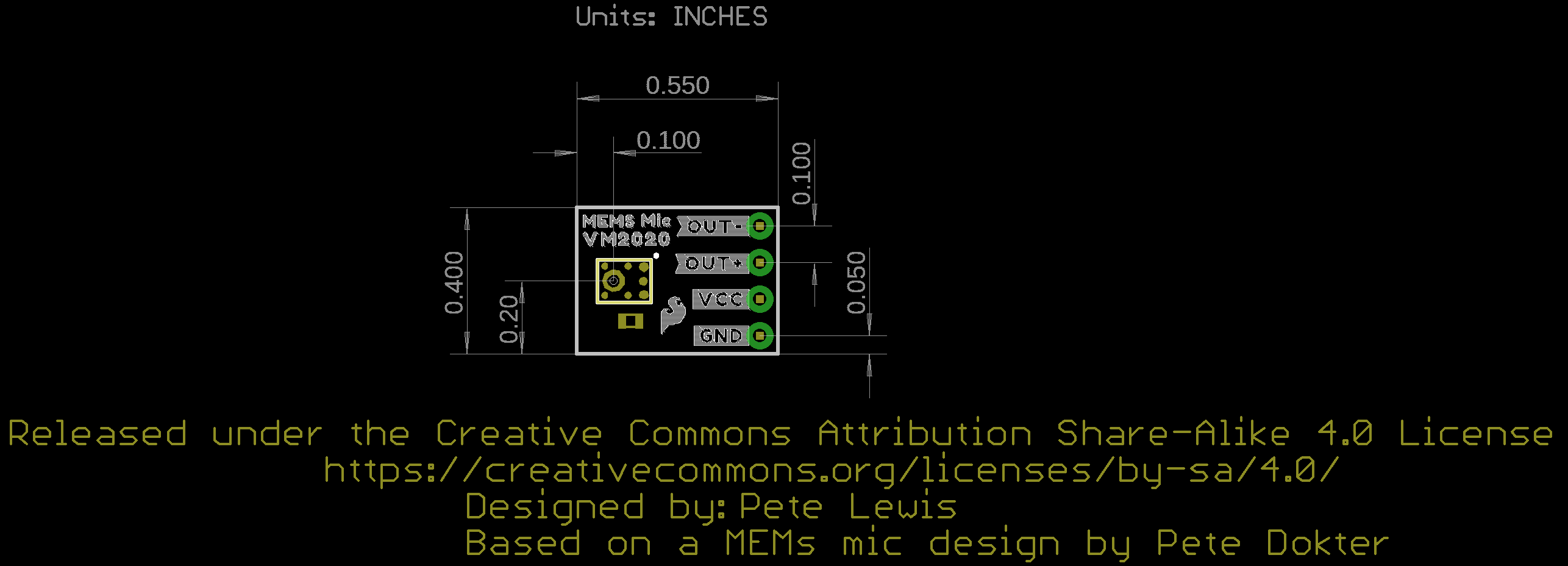
- Board Dimensions (PNG)
- Fritzing Part (FZPZ)
- Datasheet (PDF) (VM2020)
- Application Note: Improving Barge in Performance on Smart Speakers with Ultra High Dynamic Range Microphone (PDF)
- VM2020 Compared to Capacitive MEMS Microphone in the Back Cavity of a Smart Speaker (PDF)
- WM8960 Arduino Library
- GitHub Hardware Repo
- SFE Product Showcase
Need some inspiration for your next project? Check out some of these related tutorials for ideas. Add the Analog MEMS microphone (VM2020) in your project!
Rotary Switch Potentiometer Hookup Guide
How to use the Rotary Switch Potentiometer breakout board, with some sample applications.
Electret Mic Breakout Board Hookup Guide
An introduction to working with the Electret Mic Breakout Board.
Getting Started with MicroPython and the SparkFun Inventor's Kit for micro:bit
Learn MicroPython with the micro:bit.
Analog MEMS Microphone (VM2020) Hookup Guide
Get started with the SparkFun analog MEMS microphone breakout board! In this tutorial, we will be connecting the differential MEMS microphone to an Arduino using the WM8960 audio codec.