LilyPad Accelerometer Hookup Guide
Contributors:
 Gella
Gella
Gella 
Attaching to a LilyPad Arduino
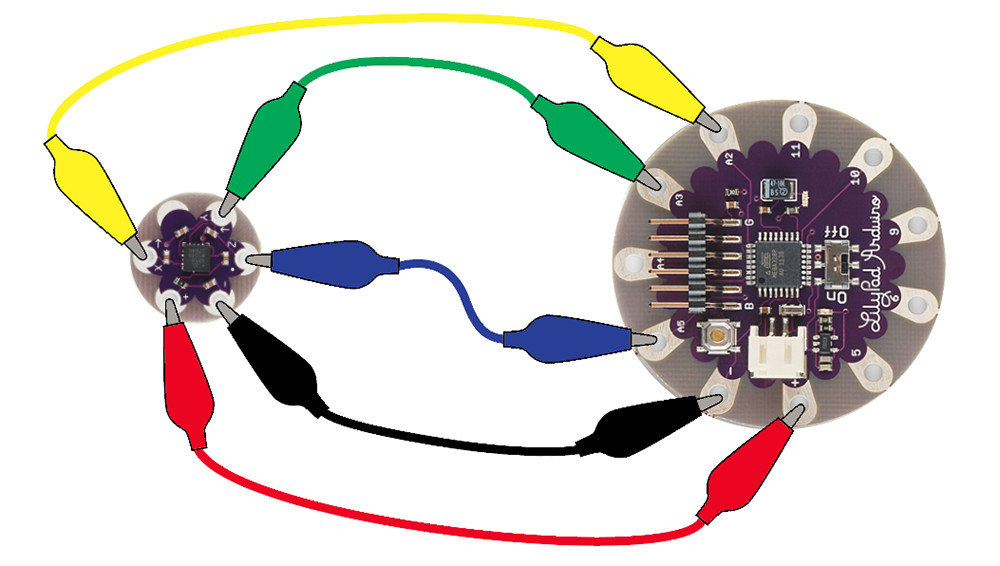
The LilyPad Accelerometer has five pins: Power (+), Ground (-), X, Y, and Z. Connect + to the + pin on a LilyPad Arduino and - to the - pin. To read the values from the X, Y, and Z pins, they need to be connected to an analog pin on the LilyPad. In this example, we're using the A2, A3, and A5 tabs on the LilyPad. The A4 tab is difficult to clip an alligator to while the FTDI board is connected.
To follow along with the code examples in this tutorial, connect the accelerometer to a LilyPad Arduino as shown below.