Getting Started with Teensy
 ishotjr
Software Setup
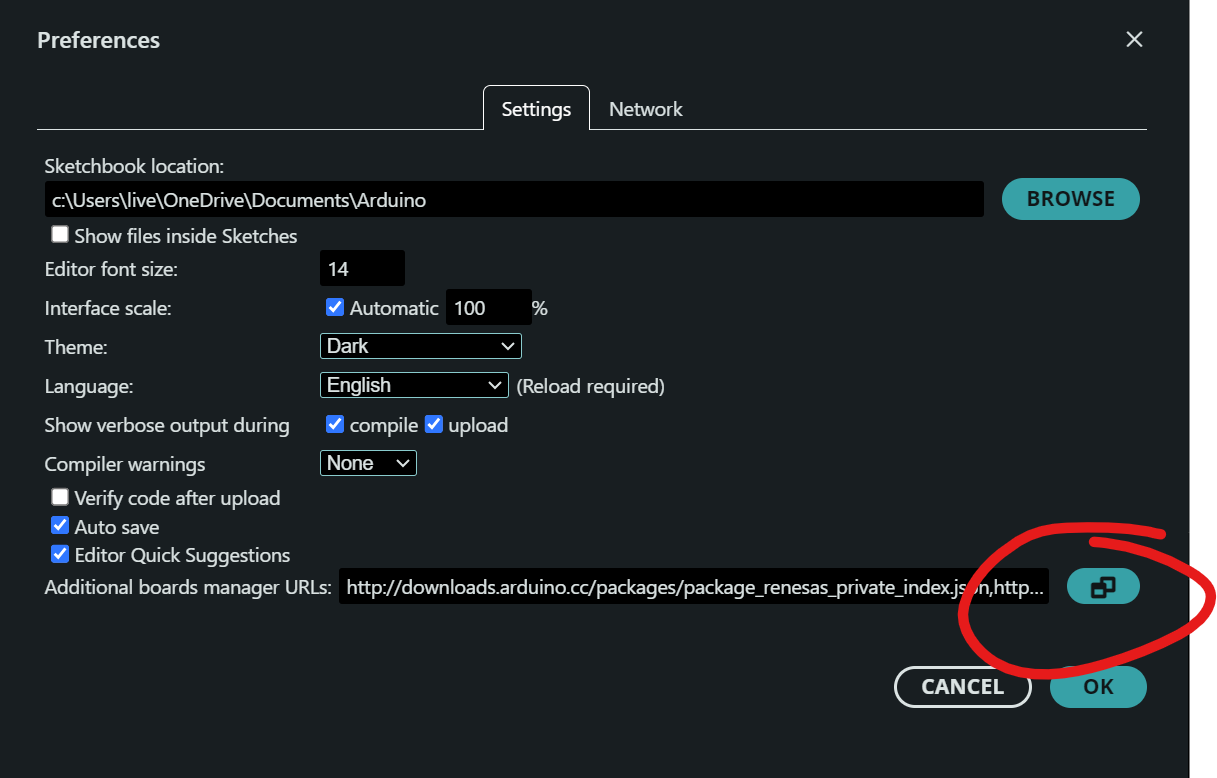
The easiest way to program Teensy is with the Arduino IDE. Arduino have great documentation explaining how to install Arduino IDE 2.0 on Windows, Linux, and macOS, so if you don’t already have it installed, follow those instructions, then head back here when you’re done. In order for Teensy to show in the Arduino Boards Manager, the IDE needs some special information, stored in a JSON file. Under File > Preferences click the icon next to Additional boards manager URLs and a new window will pop up.
On a new line, paste this URL: https://www.pjrc.com/teensy/package_teensy_index.json
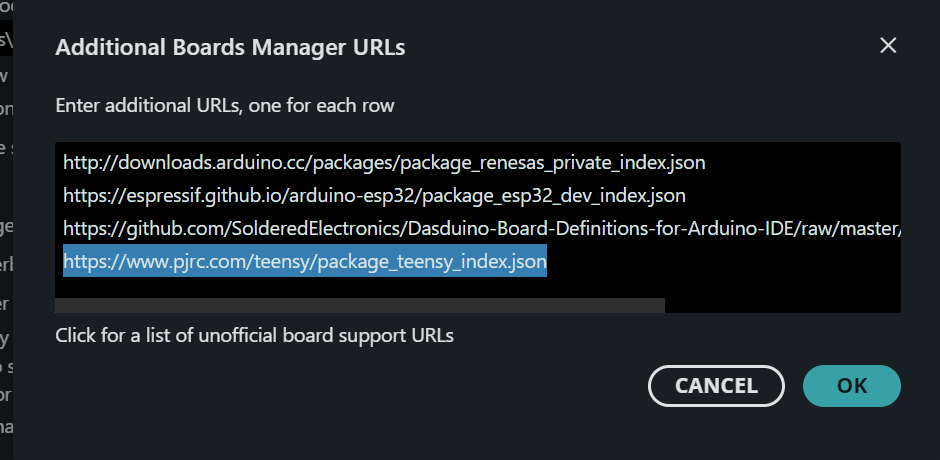
and click OK.
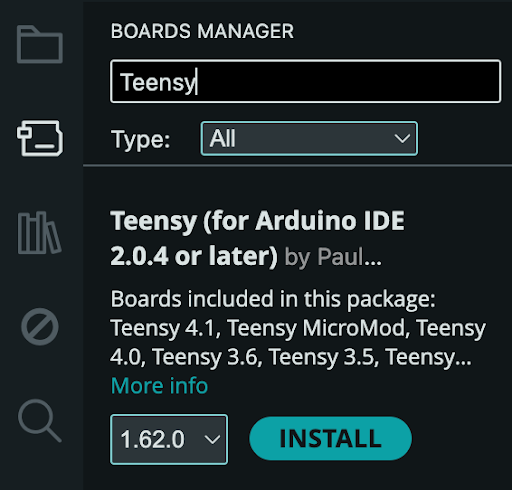
Now, search the Arduino Boards Manager for “teensy” and install the latest version of Teensy by Paul Stoffregen.
If you are using Linux, the 00-teensy.rules file must be copied to /etc/udev/rules.d/ to give non-root users permission to access the Teensy USB device.
You now have everything you need to get started with Teensy development.